SAMPLE OUTPUT
Real generations from the tool. Not hand-picked, not retouched. This is what you get when you type a prompt and hit generate. All output is AI-generated and should be credited as such.
CHARACTERS & ENEMIES
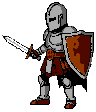 CHARACTER
"a knight with sword and shield"
CHARACTER
"a knight with sword and shield"
 CHARACTER
"a wizard with a staff"
CHARACTER
"a wizard with a staff"
 ENEMY
"a skeleton warrior"
ENEMY
"a skeleton warrior"
 ENEMY
"a slime monster"
ENEMY
"a slime monster"
ITEMS & UI ELEMENTS
 ITEM
"a healing potion"
ITEM
"a healing potion"
 UI ELEMENT
"health hearts HUD"
UI ELEMENT
"health hearts HUD"
TILES & TILESETS
 TILE
"brick wall"
TILE
"brick wall"
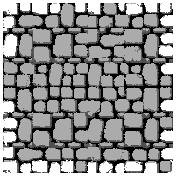 TILESET
"dungeon stone wall"
TILESET
"dungeon stone wall"
SPRITE SHEET ANIMATIONS
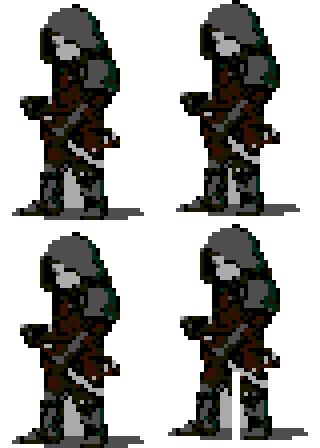 WALK CYCLE
"a rogue with daggers" • 4/tile
WALK CYCLE
"a rogue with daggers" • 4/tile
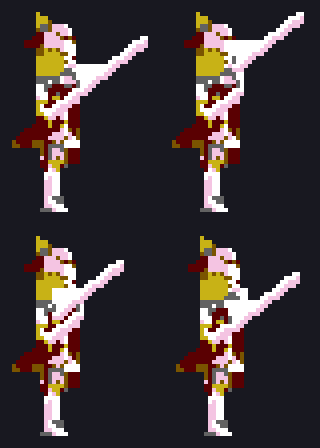 ATTACK
"a paladin with longsword" • 4/tile
ATTACK
"a paladin with longsword" • 4/tile
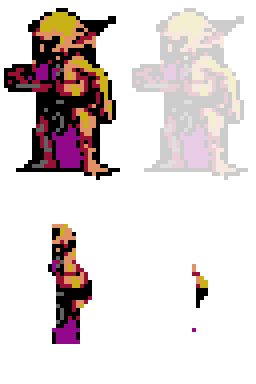 DEATH
"a goblin" • 4/tile
DEATH
"a goblin" • 4/tile
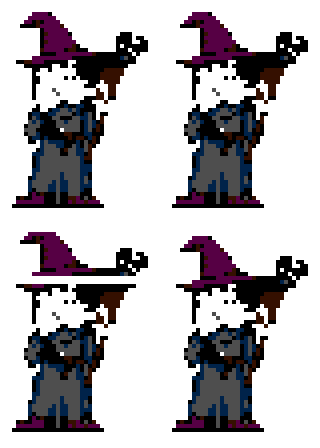 CAST
"a wizard casting a spell" • 4/tile
CAST
"a wizard casting a spell" • 4/tile
Walk, idle, attack, jump, death, and cast cycles. Zero palette drift between frames.
SAME PROMPT, FOUR ERAS
 RETRO
1978 – 1983
3 COLORS • 4/tile
RETRO
1978 – 1983
3 COLORS • 4/tile
 EARLY
1983 – 1984
4 COLORS • 4/tile
EARLY
1983 – 1984
4 COLORS • 4/tile
 MID
1985 – 1986
6 COLORS • 4/tile
MID
1985 – 1986
6 COLORS • 4/tile
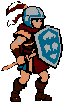 LATE
1987+
6 COLORS • 4/tile
LATE
1987+
6 COLORS • 4/tile
The era system matches the visual style and constraints of specific periods in console hardware history. Same prompt, different era, different look.
DRAWN PIXEL-BY-PIXEL IN ASEPRITE
An alternative mode where Claude draws every pixel natively in Aseprite using MCP tools. Output is a real .aseprite file — editable layers, palette, the works. More advanced eras available via the MCP server product.
 ENEMY
"an alien invader"
ENEMY
"an alien invader"
 ENEMY
"a ghost enemy"
ENEMY
"a ghost enemy"
 ITEM
"a star power-up"
ITEM
"a star power-up"
 TILE
"a brick wall"
TILE
"a brick wall"
 ENEMY
"a bat enemy"
ENEMY
"a bat enemy"
 ENEMY
"a mushroom enemy"
ENEMY
"a mushroom enemy"
 ITEM
"a health heart"
ITEM
"a health heart"
 CHARACTER
"a warrior"
CHARACTER
"a warrior"
Aseprite mode produces native .aseprite files with correct palettes and editable layers. Hardware-compliant output, ready to use.
MID & LATE ERAS — YOUR MODEL, YOUR QUALITY
With a more capable model, Aseprite mode extends to mid and late eras. Equipment detail, complex creatures, and richer palettes become viable at 16×16. Available via the MCP server product — you bring your own Claude model.
OPUS
 ENEMY
"a dragon"
ENEMY
"a dragon"
 CHARACTER
"an armored mage"
CHARACTER
"an armored mage"
 ITEM
"a potion bottle"
ITEM
"a potion bottle"
SONNET
 ENEMY
"a dragon"
ENEMY
"a dragon"
 CHARACTER
"an armored mage"
CHARACTER
"an armored mage"
 ITEM
"a potion bottle"
ITEM
"a potion bottle"
ANIMATIONS — MULTI-FRAME VIA PIXEL-MCP
Both Opus and Sonnet can draw coherent multi-frame animations — walk cycles, attack sequences, idle bobs. Each frame is drawn pixel-by-pixel, maintaining character identity across the sequence.
 IDLE BOB
"a mushroom character"
EARLY • OPUS
IDLE BOB
"a mushroom character"
EARLY • OPUS
 IDLE BOB
"a mushroom character"
EARLY • SONNET
IDLE BOB
"a mushroom character"
EARLY • SONNET
HARDWARE LIMITS
NES · 4 colors/sprite · 8×8 or 8×16 sprites
4 colors per sprite (3 + clear). 8×8 or 8×16 sprites. 54-color master palette. Built for mocks that look like NES hardware, not a soft filter on a PNG.
SNES · up to 16 colors/sprite · console sprite and tile sizes
Up to 16 colors per sprite from the SNES palette. Sprite and tile sizes match what the console expects. Stub bosses and UI while you playtest.
Genesis · 16 colors/sprite · 512-color set
16 colors per sprite from the 512-color Genesis set. Same tile grammar as a real Mega Drive sheet. Stub enemies and HUD before you lock art direction.
Game Boy · 4 shades · 8×8 or 8×16 sprites
4 shades. 8×8 or 8×16 sprites. The green-gray look comes from the hardware. Stub your GB demo sprites here, then commission final pixels.
GBC · 4-color palette banks
GBC sprite and BG palette banks (4 colors each). More color than DMG, still a console budget. Placeholder sheets that stay honest about what GBC can show.
C64 · 16 colors · hires
16-color C64 hires palette. The generator offers hires only, with 2 colors per 8×8 cell. Prototype sprites that fit a C64 screen, then bring in an artist for the release build.
PC Engine · 16-color palettes
PC Engine palette limits enforced. 16 colors per palette. Stub HuCard-era tiles for playtests. Ship art still belongs to a human pixel artist.